
Appearance
Kernel tuning
This writes to disk and runs on the GPU
Kernel tuning captures a kernel's inputs, replays it, compiles candidate variants, and can write a replacement source definition back to disk. It needs a GPU. It is not part of the read-only import path and runs only when you start it.
What it does
Selecting a dispatch and clicking "Tune this kernel" (or calling the MCP tuning_open on a non-RADV dispatch) opens a Kernel laboratory window. It:
- Calibrates the GPU — a one-time microbenchmark of attainable compute and memory rates (reused by later matching runs; cached for 7 days under an exclusive GPU lock).
- Captures the kernel's inputs — a snapshot of the allocations the kernel reads. The capture scope defaults to
reachable(follow the kernel's argument pointer tables, snapshotting only what it reaches) rather thanall(every allocation in the process). - Replays the kernel in isolation (default 20 iterations; range 1–10,000) via the pinned AMD Kerncap runtime, with
rocprofv3 --pmccounter collection. - Compiles and compares variants, recording GPU duration, launch throughput, occupancy, scratch/LDS/VGPR, WMMA/MFMA counts, compute/memory throughput and speed-of-light, deltas vs the previous run, and bitwise output validation.
- On save, rewrites the selected kernel's source definition on disk.
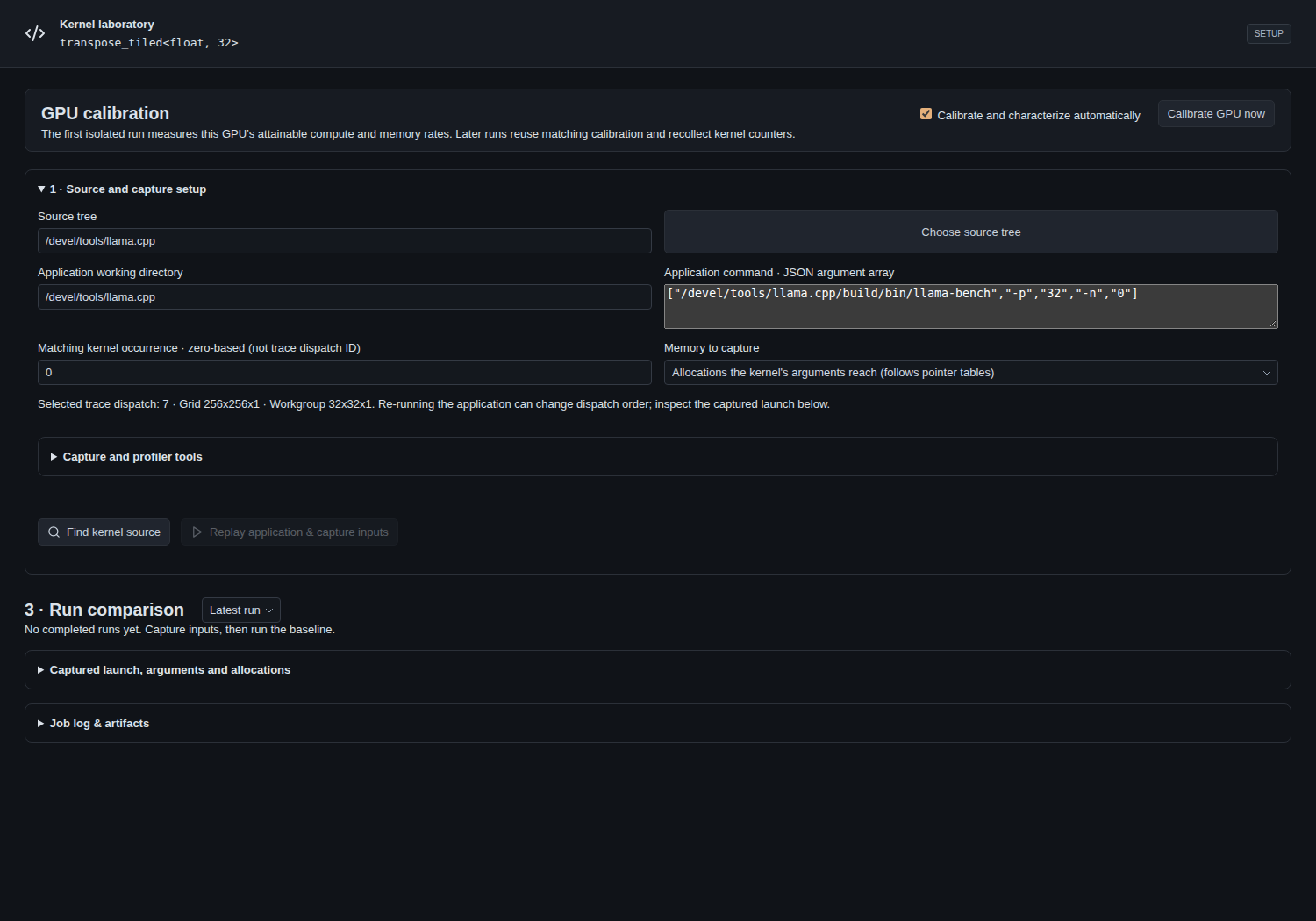 The Kernel laboratory (rendered from the live
 KernelTuning component with a stubbed session): GPU calibration, source & capture setup with the reachable capture scope, and the run-comparison panel.
Prerequisites
- A GPU,
hipccandrocprofv3. - The Kerncap runtime, built by
scripts/setup-kernel-tuning.py. That script clonesAMDResearch/intellikitpinned atc5b2098and applies two patches:scripts/kerncap-replay.patch(replay timing) andscripts/kerncap-capture-scope.patch(thereachablecapture scope). Re-running it applies whichever patch is missing. It installs into~/.rocprofgui/kernel-tuning/runtime(honoursROCPROFGUI_HOME), which is where the app looks.
Replay conditions
By default every timed iteration restores the captured inputs from pristine copies and GPU events bracket a single dispatch — the isolated best case. Two conditions change that:
- Sustained dispatches back to back after one restore (Kerncap's
--no-recopypath), approximating a kernel kept resident on a busy queue. It is only meaningful when the dispatch does not read what it writes. - Replays runs the whole capture several times (a
repeatscount) with fresh allocations and reports the spread of the per-replay average, showing how much placement moves the timing.
The replay reports which mode it actually ran, and a session refuses a result whose mode does not match the request, so an un-rebuilt runtime cannot silently ignore a condition. Deltas compare only against the latest earlier run made under the same conditions.
The Vulkan shader-tuning path additionally offers memory-pool placement (--memory) and a per-dispatch cache flush (--flush-mb); those are not implemented for HIP, because Kerncap restores each region at its exact captured virtual address and, on the unified-memory APU qualified here, the device/GTT distinction changes allocation grain rather than physical placement. The full HIP/Vulkan asymmetry and its evidence are in kernel-tuning-parity.md.
Honest limits
- A reported timing delta is not a claimed speedup. No counterbalanced A/B or clock-stability experiment is run.
- The subsystem was qualified on gfx1151, and the sampled kernel contained no WMMA or LDS instructions, so WMMA-heavy kernels and LDS bank-conflict behaviour are unqualified.
- Session history is capped at 1,000 runs; the worker enforces a 600 s budget and a 64 MiB job-log cap.
- Closing a session (
tuning_close) deletes its captured inputs (which can be the whole model) and validation dumps; results, logs and source backups remain.
Over MCP
tuning_open → tuning_status → tuning_action (search / select / capture / run / save) → tuning_close. See MCP mode.